Quick Balance
Keep track of your credit card spend quickly and easily
Quick Balance
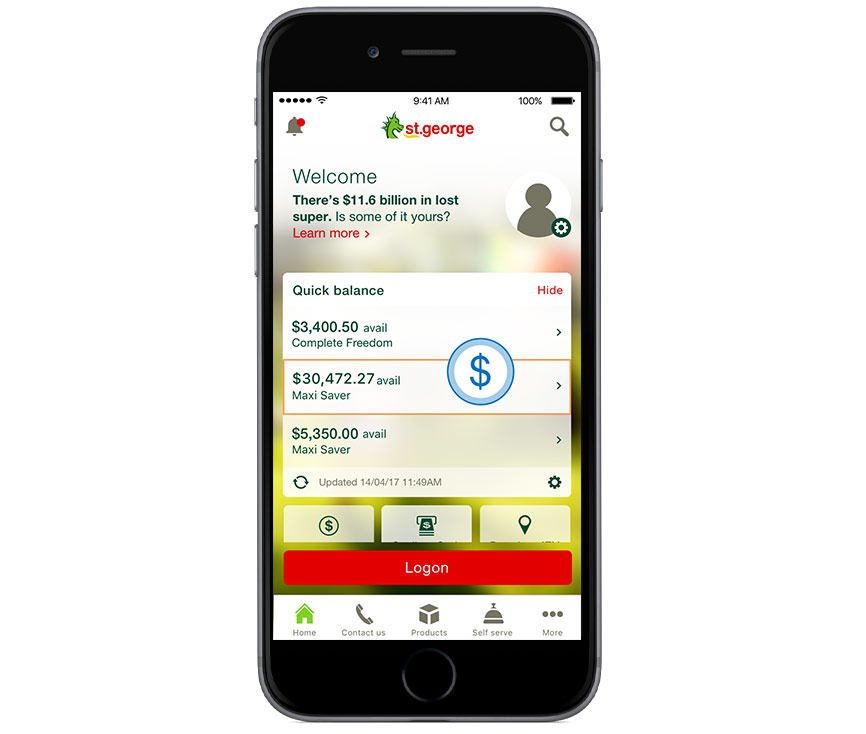
You can check your credit card funds on the go with Quick Balance. Simply:
- Download and install the St.George Mobile Banking smartphone app
- Tap Quick Balance from the logon screen
- Access your account details with one tap.
Don’t have a St.George card yet? Here’s how to get started
Step 1
Apply online in less than 10 minutes.
Step 2
Once your card arrives in the mail, activate it online or in the St.George app.
Step 3
Open the St.George app, tap Quick Zone and check your account details.
Track with SMS and
email alerts
Information on your balance, deposits and withdrawals can be sent
automatically, 24/7 via SMS and email.

Important information
View the terms and conditions:
Credit Card Accounts Fees and Charges (PDF 1MB)
Read the St.George Terms and Conditions for Internet Banking and Phone Banking before making a decision and consider whether the product is appropriate for you.